


Ultrasonic Haptics: How Midair Touch Feedback Works
Human–computer interaction · Emerging technology
Ultrasonic Haptics: How Midair Touch Feedback Works
Focused ultrasound can create tactile sensations on bare skin—without a glove, controller, or vibrating surface. Here is how it works, where it helps, and what it cannot do.
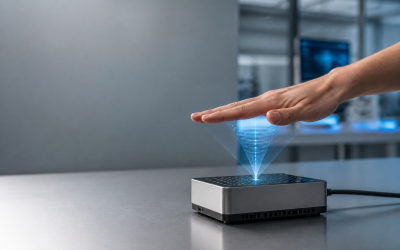
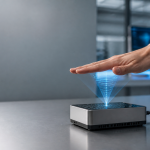
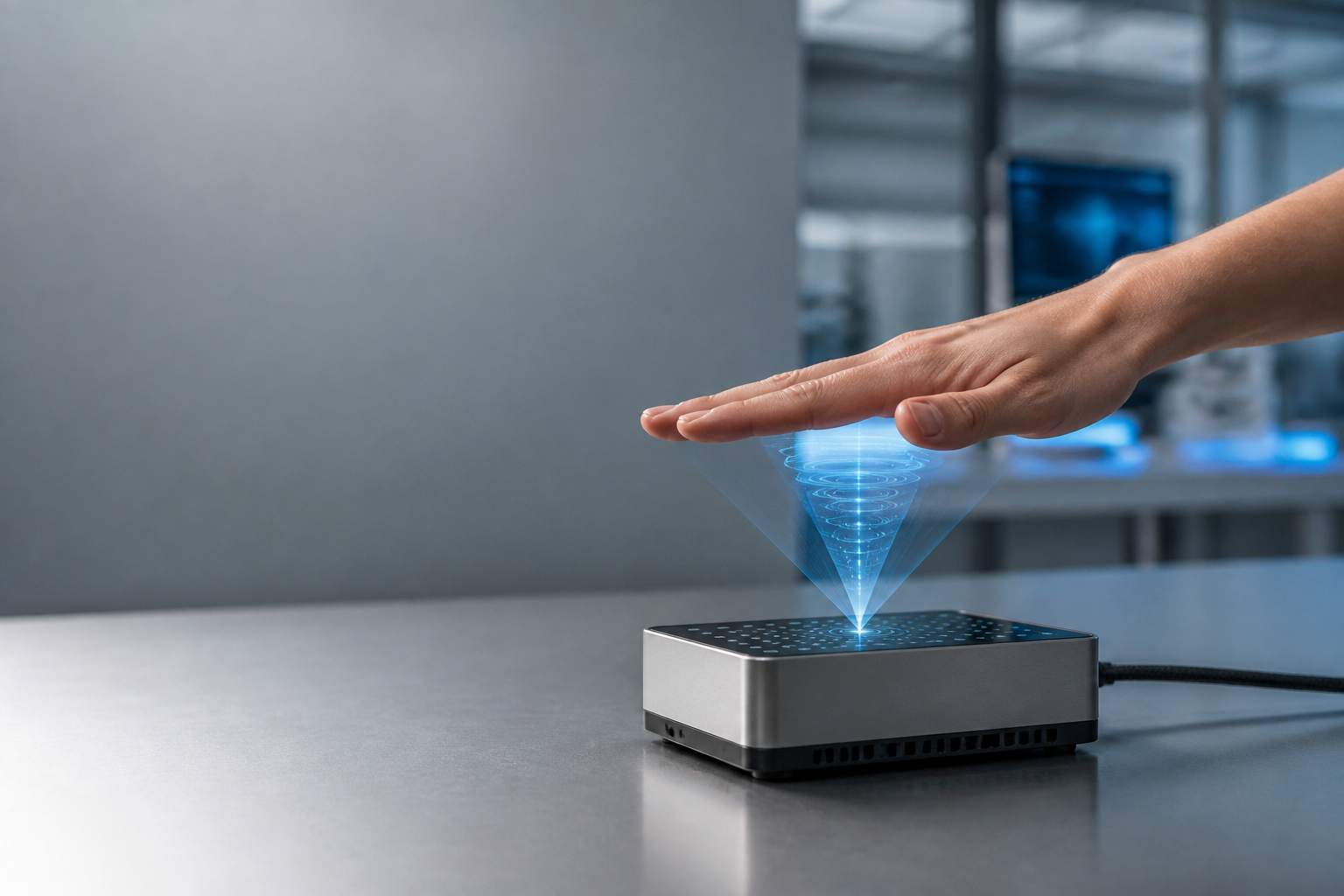
Acoustic fields are invisible. The highlighted region is a conceptual illustration, not a physical button floating in the air.
Imagine moving your hand toward a contactless control and feeling a brief pulse when your finger reaches the right place. Nothing touches your skin, yet the interface gives you something more definite than a changing icon: a tactile acknowledgment.
That is the promise of ultrasonic haptics. By concentrating airborne ultrasound onto a small area of exposed skin, a system can produce gentle, localized sensations. Paired with hand tracking, those sensations can accompany gestures, mark interaction boundaries, or confirm a selection.
The important distinction is that this technology adds information through touch, not solid objects to empty space. Understanding that difference is the starting point for building interfaces that are useful rather than merely surprising.
What Is Ultrasonic Haptics—and What Does It Feel Like?
Ultrasonic haptics is a contactless feedback technique that uses high-frequency sound to stimulate the skin. Unlike a phone’s vibration motor, it does not require you to hold a device. Unlike a force-feedback controller, it does not push against your hand with substantial mechanical resistance.
Typical sensations include localized tingling, fluttering, pulsing, or gentle pressure. A moving stimulus may feel like a small point tracing a path across the palm. The experience depends on the hardware, the pattern being rendered, the hand’s position, and the person feeling it.
Descriptions such as “invisible buttons” are convenient but potentially misleading. A midair button can acknowledge a selection; it cannot stop your finger at a surface, hold your hand in place, or reproduce the resistance of turning a stiff knob.
Think of ultrasonic haptics as a tactile notification channel—not a force field.
That notification channel addresses a real weakness in gesture interfaces. With a physical switch, movement and contact help confirm what happened. With a contactless control, users may need to watch a screen continuously or listen for a sound. A well-timed tactile cue supplies another signal, although it should not be the only way to know an action succeeded.
How Focused Ultrasound Creates a Tactile Sensation
The basic process combines acoustic hardware, real-time control, and knowledge of where the hand is. None of those pieces works well in isolation.
1. An array emits ultrasonic waves
The hardware usually contains many small ultrasonic transducers arranged in an array. Many airborne haptic systems operate around a 40 kHz carrier frequency, above the normal human hearing range. Each transducer emits a wave; the controller adjusts how those waves combine.
At 40 kHz, the wavelength in room-temperature air is approximately 8.6 millimeters. That does not directly specify the focal spot size, but it helps explain why acoustic geometry matters: these systems do not produce arbitrarily tiny tactile pixels.
2. Phase control concentrates acoustic energy
By controlling the relative phase of the transducers—the timing of their wave cycles—the system makes waves arrive together at a selected location. Constructive interference creates a focal region with elevated acoustic pressure.
When this sound interacts with skin, the transfer of acoustic momentum produces acoustic radiation pressure. The resulting small force can deform the skin. This is a mechanical effect of sound, not an electrical stimulus and not a stream of air from a fan.
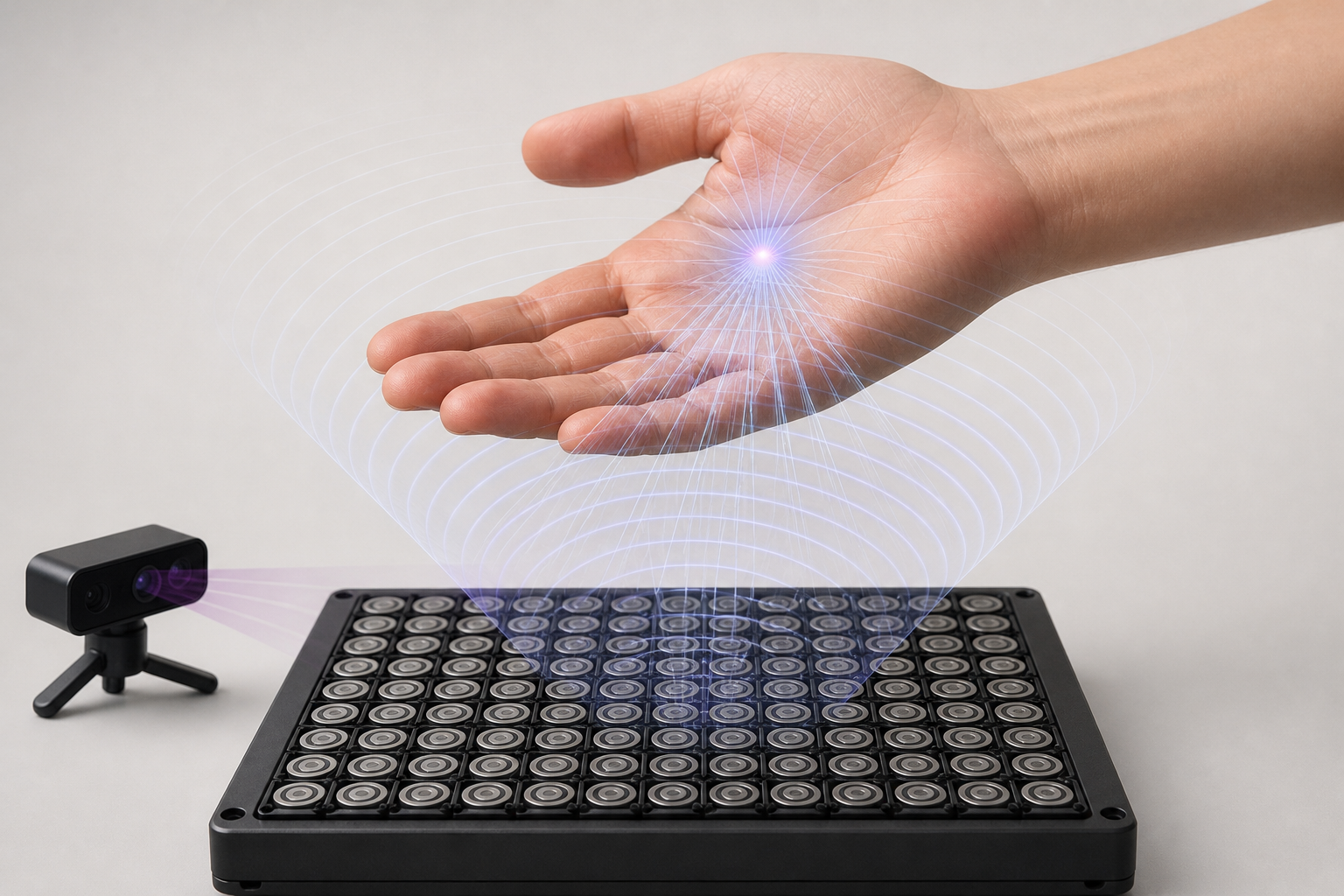
Phase-controlled waves concentrate energy near the skin. The illustrated wavefronts are explanatory overlays.
3. Modulation makes the stimulus perceptible
The tactile system does not follow individual 40,000-cycle-per-second oscillations as a vibration sensation. Instead, controllers vary the ultrasound’s amplitude envelope or move the focal point rapidly to produce time-varying skin stimulation.
Amplitude modulation changes the strength over time. Spatiotemporal modulation moves the focus along a path. Appropriate patterns can create pulses, apparent motion, or texture-like impressions, though a recognizable pattern is not the same as reproducing a material’s full physical texture.
4. Tracking keeps the feedback near its target
An optical hand tracker or another position sensor estimates the palm or fingertip location. Software transforms those coordinates into the array’s reference frame and updates the acoustic focus as the hand moves.
This loop must stay responsive. A cue aimed at where a finger was moments ago may land elsewhere or miss it altogether. As with latency-sensitive edge computing, local processing can reduce communication delays, but it does not eliminate sensing, computation, or hardware delays.
Software cannot remove every physical constraint. Array aperture, frequency, drive levels, steering angle, and working distance all affect strength and focus. The usable interaction volume must be measured rather than assumed.
Where Midair Haptic Feedback Can Be Useful
The strongest applications have a specific feedback problem: users need to know where an interaction is available, whether a gesture registered, or when a state changed. Research demonstrations and commercial development platforms show what is possible, but they should not be mistaken for widespread deployment in everyday products.
Automotive gesture controls
A brief pulse could confirm that a driver has reached a virtual control or changed a setting. In principle, this might reduce the need to look back at a display to check whether an input registered.
However, a novel gesture can also introduce distraction. Any claim of improved driving performance needs realistic studies measuring glance behavior, errors, workload, and driving outcomes. A tactile cue does not automatically make a complex dashboard interaction safe.
Public kiosks and shared displays
A kiosk can use midair feedback to acknowledge selection without requiring contact with its control surface. Potential settings include ticketing, wayfinding, and interactive information displays.
Contactless does not mean universally hygienic: surrounding surfaces may still be touched, and cleaning and infection-control requirements remain separate questions. Designers must also accommodate users whose reach, mobility, or sensory perception makes midair gestures difficult.
Spatial computing and exhibits
Museum installations can pair imagery with a tactile boundary or a pulse at a particular location. Spatial interfaces can use similar cues to make otherwise invisible targets easier to find.
The challenge is related to the one facing heads-up computing with smart glasses: digital content needs clear relationships to physical space. Ultrasonic feedback may reinforce those relationships, but a conventional array serves a limited workspace rather than following the user everywhere.
Training and simulation
Lightweight tactile signals can mark timing, target location, or entry into a restricted region during a training task. They cannot reproduce the cutting resistance of a surgical tool, the weight of equipment, or the recoil of a mechanism.
For each proposed application, ask whether the evidence comes from a controlled prototype, a pilot installation, or an operational deployment—and whether the measured benefit transfers to the intended environment.
Designing Midair Interfaces People Can Understand
Designing ultrasonic haptic interfaces starts with interaction meaning, not the largest library of effects. A small set of reliable signals is usually easier to learn than many subtle patterns.
- Define the events. Separate entering a control region, moving between options, and completing a selection. Do not use the same pulse for “ready” and “confirmed.”
- Make patterns distinguishable. Try a brief entry pulse and a clearly different confirmation pattern. Validate the distinction with users rather than assuming it is obvious.
- Align the senses. Place the tactile cue where the visual target appears to be, and coordinate its timing with the visual or audio response.
- Keep the posture comfortable. Favor short interactions within an easy reach. Repeated unsupported arm movements can cause fatigue even when each gesture feels simple.
- Provide discovery and recovery. Show where to place the hand, indicate when tracking is active, and explain how to retry if a gesture fails.
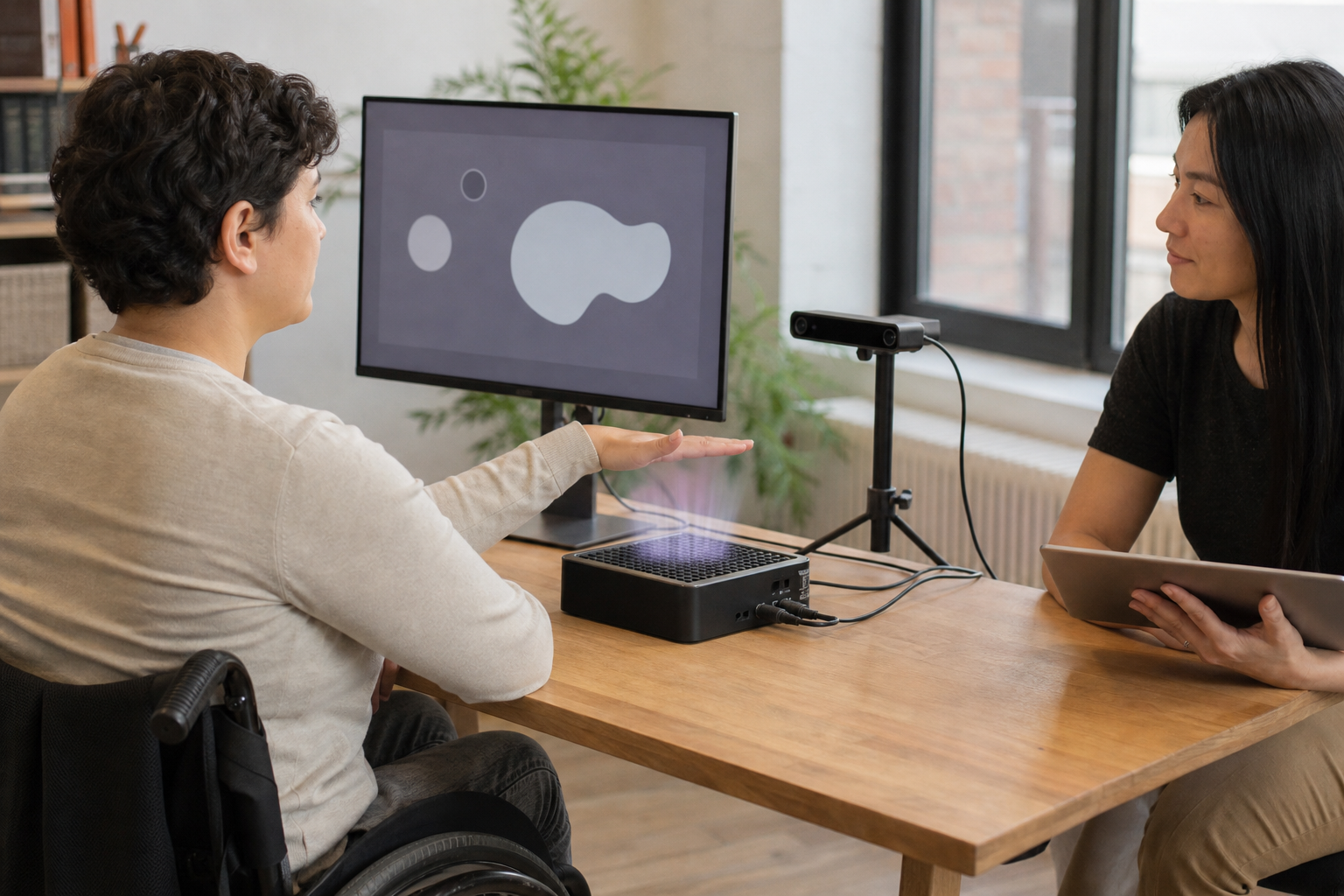
Test the whole interaction: reach, posture, tracking, cue perception, and understanding—not just whether someone can feel a pulse.
For a simple menu, feedback might indicate entry into the active area, transitions between options, and successful confirmation. Those events should also have visible equivalents. Audio may help, but shared environments, hearing differences, and noise make it unsuitable as the only fallback.
The broader lesson applies to screen-free digital assistants as well: removing a screen does not remove the need to communicate system state. It makes deliberate feedback more important.
A user should still be able to complete the task if they cannot feel the cue. Provide an accessible alternative, test different hand orientations and movement speeds, and avoid making tactile perception a prerequisite for essential actions.
The Practical Limits: Strength, Tracking, Safety, and Cost
Strength and resolution are constrained
Midair ultrasonic sensations are generally subtler than direct mechanical vibration or physical contact. Perceived intensity varies across skin locations and people, and it changes with hand orientation and distance from the array.
A system that produces a clear effect on a stationary palm may not provide an equally clear effect on a moving fingertip. Clothing or gloves also change the interaction; bare-skin performance should not be generalized to covered skin.
Generating multiple focal points introduces further trade-offs. Available acoustic output must be distributed or scheduled, and focal patterns can interact. More simultaneous targets do not necessarily mean more equally strong, independent sensations.
Tracking quality is part of tactile quality
Occlusion, fast movement, difficult lighting for some optical trackers, and calibration errors can make feedback inconsistent. Coordinate misalignment can create a repeatable offset even when tracking appears stable.
Measure end-to-end latency, not just a sensor’s advertised update rate. The relevant chain runs from hand movement through sensing, processing, acoustic rendering, and delivery of the intended stimulus.
Inaudible does not automatically mean safe
Airborne ultrasound requires an acoustic exposure assessment appropriate to the product and use environment. Engineers need to consider frequency-dependent exposure guidance, measurement methods, user positions, reflections, operating duration, and foreseeable misuse.
Audible artifacts matter too. Electronics, modulation, or other system effects can produce sounds that users hear even when the carrier is ultrasonic. Comfort testing and qualified compliance assessment should accompany hardware development; an inaudible carrier alone establishes neither safety nor acceptability.
Integration costs extend beyond the array
A practical budget includes transducers, drive electronics, tracking, processing, mechanical integration, power, calibration, software, acoustic assessment, and user testing. Array size and placement may also constrain the surrounding product design.
Compare that total with simpler options. A physical button may deliver clearer confirmation at lower cost. Visual or audio feedback may already meet the task’s needs. Ultrasonic haptics earns its place when contactless tactile information produces a meaningful benefit those alternatives do not.
What Comes Next for Ultrasonic Haptics?
Research directions include better focal control, more expressive spatiotemporal patterns, and tighter coordination between tracking and acoustic rendering. Improved calibration and development tools could make effects easier to build and reproduce across installations.
Smaller hardware and more efficient electronics could broaden integration possibilities, but size and cost reductions are not guaranteed. Strong tactile output, useful working distance, power requirements, and compact packaging remain connected engineering constraints.
The most convincing spatial experiences will likely combine touch with visuals and sound. Each channel can compensate for limitations in another: visual cues reveal available actions, tactile cues acknowledge transitions, and audio can communicate information that a simple pulse cannot.
Progress should therefore be judged by outcomes rather than spectacle. A useful evaluation compares:
- Selection accuracy: Do users make fewer wrong or repeated inputs?
- Task completion time: Does feedback help after the initial learning period?
- Confidence: Do users correctly understand when an action succeeded?
- Fatigue and comfort: Can people complete repeated tasks without excessive effort?
- Accessibility: Who benefits, who struggles, and are alternatives equally usable?
These measures distinguish a memorable demonstration from a dependable interface.
Start With One Interaction That Needs Tactile Confirmation
Ultrasonic haptics uses focused sound and controlled modulation to create touch sensations on exposed skin. Hand tracking lets those cues follow an intended target within a defined workspace. The result can clarify a contactless interaction—but it does not provide solid surfaces or realistic tool resistance.
Successful designs respect that boundary. They use a few meaningful patterns, coordinate feedback across senses, accommodate missed cues, and validate tracking, comfort, acoustic exposure, and cost.
For a first prototype, choose one simple task: confirming a selection, for example. Compare a visual-only version with the same interface plus a tactile cue, keeping other conditions consistent and varying test order. Measure errors, speed, confidence, and fatigue. Let the usability results—not the novelty of touching thin air—decide what to build next.