







Understanding USB-C Power Delivery: A Practical Guide to Faster, Smarter Charging
Understanding USB-C Power Delivery: A Practical Guide to Faster, Smarter Charging
USB-C has made charging far more convenient, but the small reversible connector is only part of the story. USB Power Delivery—usually shortened to USB PD—is the technology that helps compatible chargers, cables, and devices decide how much power to use. Understanding that conversation makes it easier to charge a phone quickly, power a laptop safely, and carry fewer adapters every day.
What Is USB-C Power Delivery?
USB-C is a connector standard: it describes the compact, oval-shaped port and plug now found on many phones, tablets, laptops, monitors, power banks, and accessories. It can carry power, data, video, or some combination of all three. But seeing a USB-C port does not, by itself, tell you how quickly a device can charge.
USB Power Delivery is a charging protocol that can operate through USB-C. It gives the charger and connected device a way to communicate before significant power flows. Rather than treating every device the same, the two sides negotiate a suitable voltage and current profile. This makes charging more flexible than older USB standards, which commonly supplied modest fixed power levels.
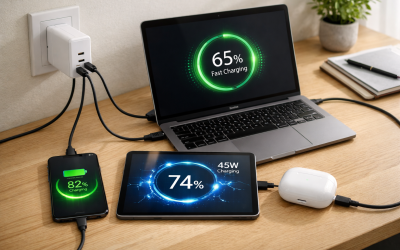
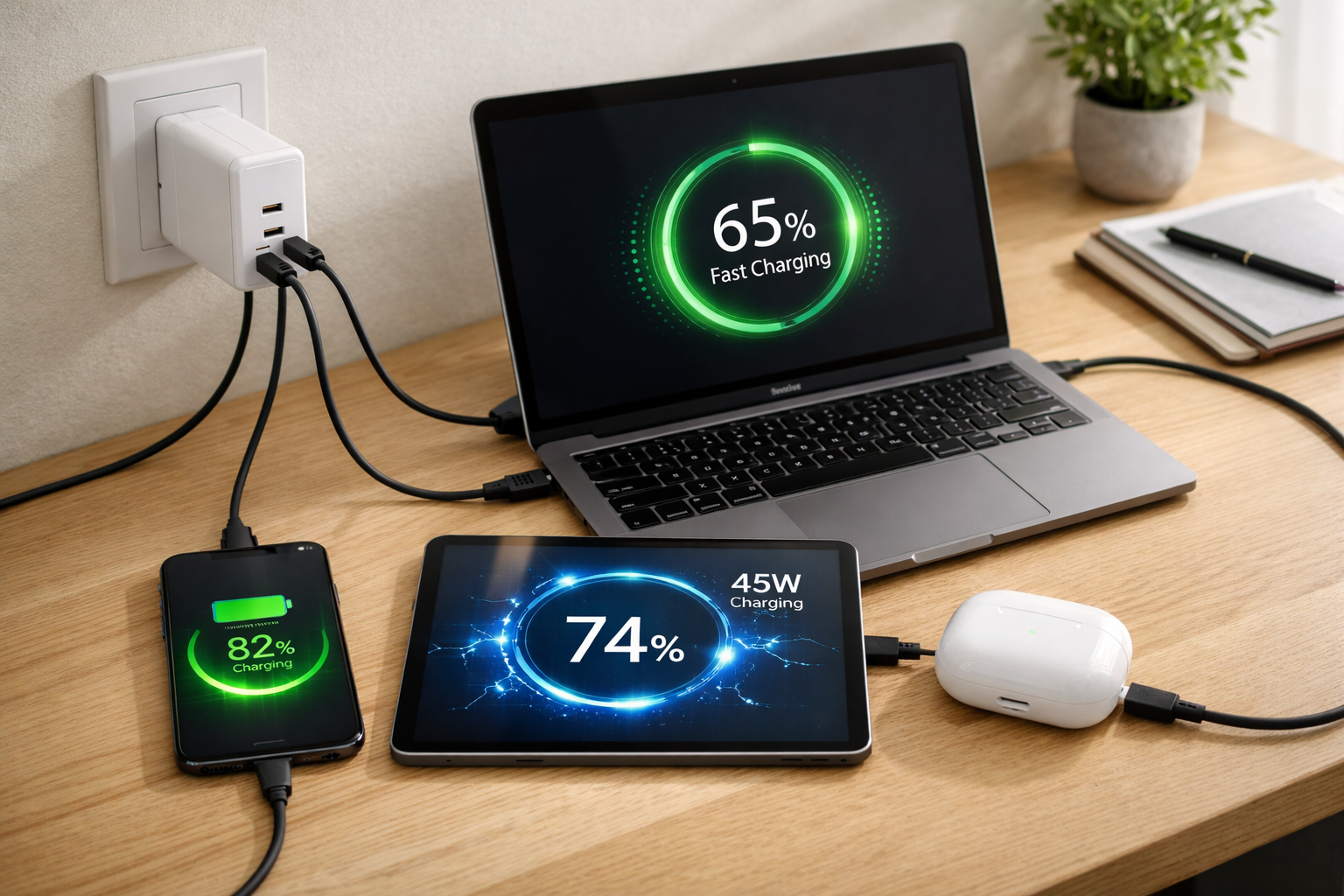
In practical terms, a USB PD charger may be able to charge a small accessory, a phone, a tablet, and a laptop—provided each device supports compatible charging over USB-C. A laptop might request much more power than a phone, while wireless earbuds may need only a small amount. The charger does not simply “push” its maximum wattage into every product.
Key takeaway
USB-C describes the physical connection. USB PD describes the intelligent charging language that may run through that connection. For fast charging, all three parts of the chain—device, charger, and cable—must support the required capability.
Common USB PD power ranges
USB PD covers a wide range of everyday needs. Exact requirements vary by product, but these ranges are useful starting points:
- 5W to 15W: Small accessories, earbuds, basic phone charging, and low-power peripherals.
- 18W to 30W: Fast charging for many phones and compact tablets.
- 30W to 45W: Larger tablets, handheld devices, and some thin, light laptops.
- 60W to 100W: Many mainstream USB-C laptops and multi-device charging setups.
- Above 100W: Higher-performance laptops and specialized USB PD setups using appropriately rated hardware.
Not every USB-C product supports PD. Some ports are intended only for data, some offer basic charging, and some accept power only from a manufacturer-specific adapter. Always review the device’s technical specifications rather than assuming that a USB-C-shaped port guarantees high-wattage charging.
How USB-C PD Delivers Faster, Smarter Charging
Charging performance is easiest to understand with three related electrical terms: voltage, amperage, and wattage. Voltage is the electrical pressure, amperage is the amount of electrical current, and wattage is the total rate of power delivery. The basic relationship is simple: watts = volts × amps.
For example, a charger delivering 9 volts at 2.22 amps provides roughly 20 watts. Another device may use 20 volts at 3.25 amps for about 65 watts. USB PD supports multiple power profiles so a device can request the one that best fits its battery, charging circuitry, temperature, and current battery level.

Negotiation prevents one-size-fits-all charging
When you connect a compliant USB-C PD charger, the charger advertises the power profiles it can provide. The connected device evaluates those options and requests a suitable level. Only then does the charger supply that negotiated power. This is why a 65W charger can safely charge a phone designed to accept 20W: the phone asks for up to its supported limit, not the charger’s entire capacity.
A higher-wattage USB PD charger is not inherently “more aggressive.” With compliant equipment, it is simply capable of offering more power when a connected device is designed to request it.
Charging speed is also not constant from empty to full. Most modern devices charge rapidly during an earlier portion of the cycle, then deliberately slow down as the battery approaches full capacity. That tapering helps manage heat and reduce stress on the battery. A phone showing slower charging at 85% is often behaving normally, even when paired with an excellent charger.
What PPS adds to the equation
Programmable Power Supply, or PPS, is an optional capability within USB PD that allows more granular voltage and current adjustments. Instead of selecting only a few preset profiles, compatible hardware can fine-tune power within a supported range. This can improve efficiency because the phone’s internal charging components do not need to convert as much excess voltage into heat.
PPS is especially relevant for phones that advertise their fastest charging rates through USB PD PPS. A standard PD charger may still charge such a phone quickly, but it may not reach the manufacturer’s top advertised speed. If maximum phone charging performance matters to you, look for both USB PD and PPS in the charger specifications.
Choosing the Right USB-C PD Charger and Cable
The most efficient way to shop is to start with the highest-power device you intend to charge. If your laptop needs 65W, a 20W phone charger will not be enough. On the other hand, a reputable 65W or 100W USB PD charger can usually charge that laptop and your lower-power devices safely, as long as the charger, device, and cable are compliant.

The cable can be the limiting factor
A USB-C cable is not just a piece of wire. Its construction, electronic marker, and supported specifications determine how much power and data it can safely carry. A cable included with a small accessory may work perfectly for low-power charging but limit a laptop to slower speeds.
For charging above 60W, look for a cable rated for 5A with an e-marker chip. This electronic marker identifies the cable’s capability to the connected hardware. Many cables are labeled 100W, 240W, or 5A; use the stated rating as one part of your selection, along with build quality and a trustworthy manufacturer.
- Check for USB PD support, not simply “USB-C charging.”
- Check for PPS if your phone requires it for peak charging speed.
- Review a multi-port charger’s total output and its output when several ports are in use.
- Read the port-allocation chart: one USB-C port may supply 65W alone but less when a second device is added.
- Choose products with credible safety testing and clear electrical specifications.
Modern gallium nitride, or GaN, chargers are often an appealing option because they can deliver substantial power in a smaller, cooler-running package than older designs. GaN does not automatically mean better charging compatibility, but it can make a 65W or 100W travel charger much easier to carry.
Common USB-C Power Delivery Questions and Mistakes
Can a higher-wattage charger damage a lower-power device?
With compliant USB PD hardware in good condition, the answer is generally no. A 100W USB PD charger does not force 100W into a phone that accepts 20W. The device requests a compatible profile, and the charger responds accordingly. The important caveat is quality: damaged, counterfeit, or poorly designed chargers and cables may not handle power negotiation or heat reliably.
Why is charging slow with a powerful charger?
A high wattage printed on the adapter is only one variable. Slow charging may result from a low-rated cable, a device that does not support USB PD or PPS, a charger sharing its output among several devices, or a phone that has entered battery-protection mode. Heat also matters. Devices often reduce their charging rate when they are warm, used heavily, in direct sunlight, or inside an insulating case.
- Test with a known-good, appropriately rated USB-C cable.
- Disconnect other devices from a multi-port charger to see whether power sharing is involved.
- Check whether the device manufacturer specifies PD, PPS, or another protocol for maximum speed.
- Allow a hot device to cool and review any battery health or optimized charging settings.
- Inspect ports and connectors for debris, fraying, looseness, discoloration, or unusual heat.
Does “fast charging” mean the same thing for every brand?
No. USB PD is widely used, but brands can layer their own requirements on top of it. One phone may reach its top speed with standard USB PD, another may need PPS, and another may depend on a proprietary charging mode or certified cable. A universal PD charger is still extremely useful, but it may not always reproduce the maximum rate claimed by every manufacturer’s bundled adapter.
Avoid the false bargain
Unverified adapters and worn cables are poor places to save money. Look for transparent ratings, solid construction, and reputable safety credentials. Excessive heat, intermittent charging, a loose connector, or a damaged cable jacket are reasons to stop using an accessory and replace it.
Build a More Flexible Charging Setup
A well-planned USB-C PD setup can replace a drawer full of single-purpose adapters. Start by listing the devices you charge during a typical day, their approximate power needs, and whether you charge them at the same time. Then choose a charger that can cover the combined demand you actually expect—not just the rating of its most powerful individual port.
For many people, a practical everyday arrangement includes:
- A reputable 65W or 100W multi-port USB-C PD charger for a desk, bedside table, or travel bag.
- One durable 100W-rated, 5A e-marked USB-C cable reserved for a laptop or other high-power device.
- Additional quality USB-C cables for phones, tablets, and accessories, labeled by length and capability.
- A compact 20W to 45W PD charger for minimal travel when you do not need to power a laptop.
Labeling can save time. A small tag marked “100W laptop” helps prevent a lower-rated cable from becoming the unexpected bottleneck. Keep a short cable in a travel pouch, a longer cable at your desk, and inspect both periodically. The most capable charger cannot compensate for a cable that is damaged, under-rated, or poorly made.
The ideal setup is not necessarily the one with the biggest wattage number. It is the one that balances compatibility, sufficient shared output, cable capability, portability, and verified safety. Once those pieces are in place, USB-C PD turns charging from a collection of compromises into a simpler, more adaptable system.
A Smarter Way to Power Your Devices
USB-C Power Delivery makes charging more useful because it is negotiated, scalable, and designed for devices with very different needs. Remember the essentials: USB-C is the connector, PD is the charging protocol, wattage is determined by volts multiplied by amps, and the device ultimately requests the power it can use.
Choose a charger based on your highest realistic demand, use cables rated for that power level, and verify whether features such as PPS matter for your devices. With a reliable multi-port PD charger and a few clearly identified cables, you can charge a laptop, phone, tablet, and accessories with far less clutter—and much more confidence.
Upgrade Your Charging Knowledge
Check your device and cable specifications, then choose a USB-C PD setup that delivers the speed, flexibility, and safety your daily routine needs. A few minutes spent matching the charger, cable, and device can make every charge more dependable.