




Step-by-Step: Setting Up a Professional Home Office on a Budget

A professional home office doesn’t have to cost a fortune. With hybrid and remote work now part of everyday life, more people are realizing that a good workspace isn’t a luxury — it’s essential for productivity, focus, and well-being. The good news? You can build a clean, efficient, professional-looking home office without draining your wallet.
Whether you’re a freelancer, remote worker, student, or entrepreneur, here’s a practical, realistic guide to creating a workspace that looks great, feels great, and helps you work smarter — all while staying budget-friendly.
1️⃣ Start With the Space You Already Have
Before buying anything, choose your spot wisely. You don’t need a separate room — you need dedicated space.
Think about:
-
Noise level
-
Lighting
-
Privacy
-
Distance from distractions
A corner in the living room, a spare wall, or even a closet-turned-“cloffice” can work. The goal is consistency. When your brain sees that space, it should automatically switch into “work mode.”
💡 Pro Tip: Avoid working from the couch or bed. It may feel comfortable, but it hurts productivity and posture — and blurs the line between rest and work.
2️⃣ Get a Desk That Works — Not Just One That Looks Cool
You don’t need an expensive executive desk. What you need is stability, enough surface space, and comfort.
Budget options:
-
Affordable IKEA tables
-
Second-hand desks from Facebook Marketplace or Craigslist
-
Adjustable standing desk converters
-
Simple dining tables that double as desks
Even a sturdy folding desk can work if space is limited.
💡 Pro Tip: If your desk is shallow, mount shelves above instead of cramming everything onto it.
3️⃣ Invest Smartly in Your Chair (Your Back Will Thank You)
If you’re going to spend money anywhere — spend it here.
A supportive chair can:
-
Prevent back pain
-
Improve posture
-
Boost focus over long work hours
You don’t need a luxury ergonomic chair, but avoid the cheapest plastic seat you can find. Look for:
-
Lower back support
-
Adjustable height
-
Cushioned seating
Affordable finds:
-
Used office chairs from corporate liquidations
-
Budget ergonomic chairs on Amazon & IKEA
-
Adding lumbar pillows to a standard chair
Your spine will appreciate the investment.
4️⃣ Make Your Tech Setup Functional, Not Complicated
You don’t need the latest gadget lineup to be productive. Start with the essentials:
Laptop or PC
Use what you already own if possible. Upgrade only if performance truly limits your work.
Monitor
A second screen dramatically improves productivity and comfort. Budget-friendly options include:
-
Used monitors
-
Refurbished tech stores
-
Entry-level new displays
Even a basic 1080p monitor makes a huge difference.
Keyboard and Mouse
External accessories make working more comfortable — especially for long typing sessions.
Internet
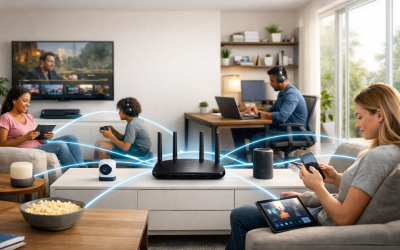
If you work online, stable internet matters more than speed. A budget Wi-Fi extender can fix weak zones.
💡 Pro Tip: Cable management isn’t just aesthetics. Organized cables reduce stress and clutter. Zip ties and adhesive clips are cheap lifesavers.
5️⃣ Lighting: The Most Underrated Productivity Booster
Good lighting doesn’t just look nice — it prevents eye strain, enhances mood, and improves video call quality.
Aim for:
-
Natural light if possible
-
Soft white or daylight bulbs
-
A desk lamp or adjustable LED light
Ring light + webcam = instant “professional meeting look” without spending much.
💡 Pro Tip: Position lighting in front of you, not behind you. Backlight = shadowy face on video calls.
6️⃣ Create a Professional Background (Even If the Room Isn’t)
Your space might be small or messy, but your background doesn’t have to be.
Simple clean background ideas:
-
Plain wall
-
Shelf with plants
-
Neutral artwork
-
Curtain backdrop
-
Folding room divider
This instantly makes you look more professional in meetings.
7️⃣ Add Essentials That Save Time and Stress
These small touches make a big difference:
✔ Headphones or earbuds — for focus and calls
✔ Notepad or whiteboard — for quick ideas
✔ Desk organizer — so your workspace doesn’t become chaos
✔ Surge protector — protect your devices (seriously)
Budget doesn’t mean cheap. It means intentional.
8️⃣ Make It Comfortable — This Is Where You Spend Hours
You’ll work better if you actually enjoy your setup.
Affordable comfort upgrades:
-
Plants (real or artificial)
-
Minimal decor
-
Footrest (even a box works)
-
Mouse pad with wrist support
-
A cozy lamp or warm lighting tone
Environment influences motivation — create one that feels good.
9️⃣ Prioritize Health
Working from home can lead to bad habits if you’re not careful.
Stay healthy with:
-
Good posture setup
-
Standing occasionally
-
Stretch breaks
-
Blue light filters or glasses
-
A chair at the right height
Remember: your workspace should help you work better, not break you.
1️⃣0️⃣ Upgrade Slowly — Your Office Can Evolve
You don’t need the “final version” today.
Start simple.
Build over time.
Upgrade when it makes sense.
Many of the best setups are built gradually — not in one expensive shopping spree.
Final Thoughts
A professional home office isn’t about luxury equipment or designer furniture. It’s about creating a space where you can think clearly, work effectively, and feel comfortable doing it.
With smart choices, second-hand finds, and a focus on essentials, you can build a workspace that feels premium — without paying premium prices.
Your budget office can still be your best office.